
This is where you change how devices behave. Remember the chain: devices belong to a Config Group, and each Config Group uses one Configuration.
Config Groups
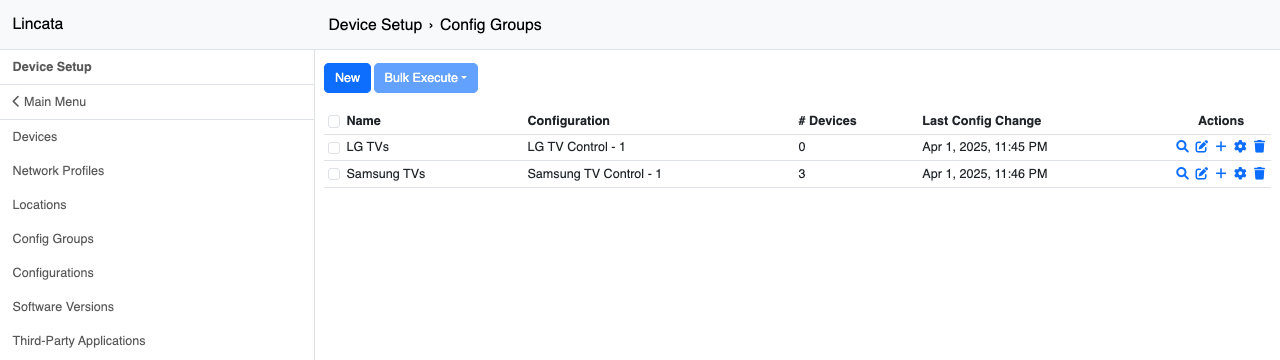
Where: Device Setup → Config Groups.
Each group shows its Configuration, how many devices are in it, and when it last changed. Most hospitals start with one group per TV brand (e.g., “Samsung TVs” and “LG TVs”), then add groups when a unit needs something different — like a pediatric floor with its own channel lineup.
Configurations
Where: Device Setup → Configurations → edit.
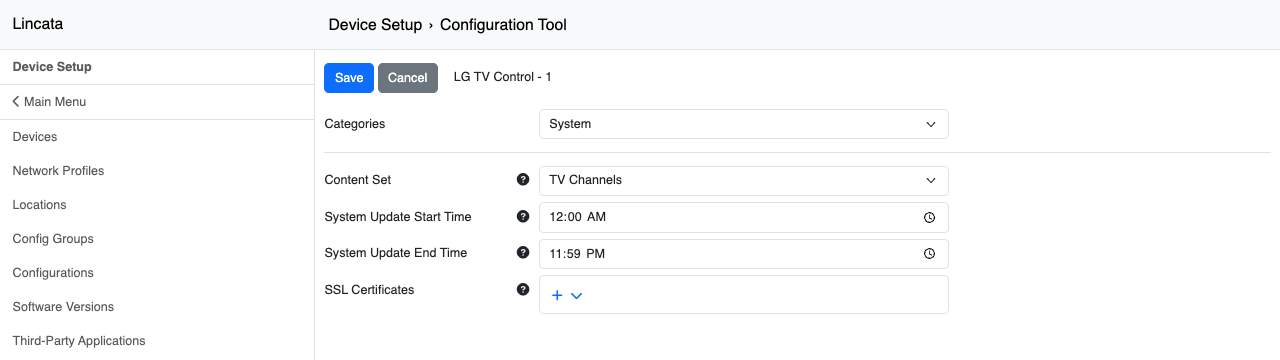
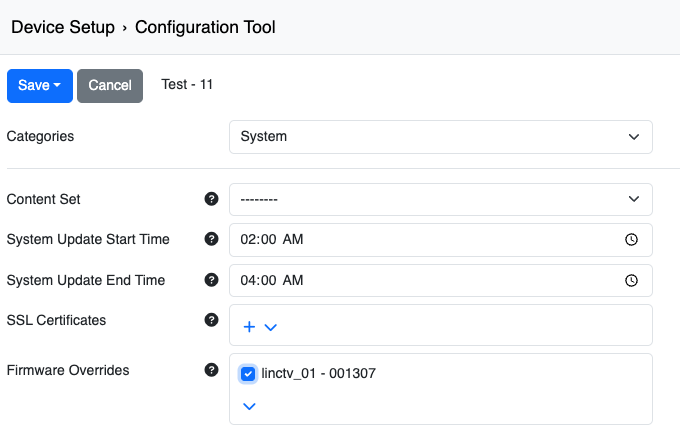
Settings are organized by Category (the dropdown at the top). The ones you'll use most:
Setting |
Category |
What it controls |
|---|---|---|
|
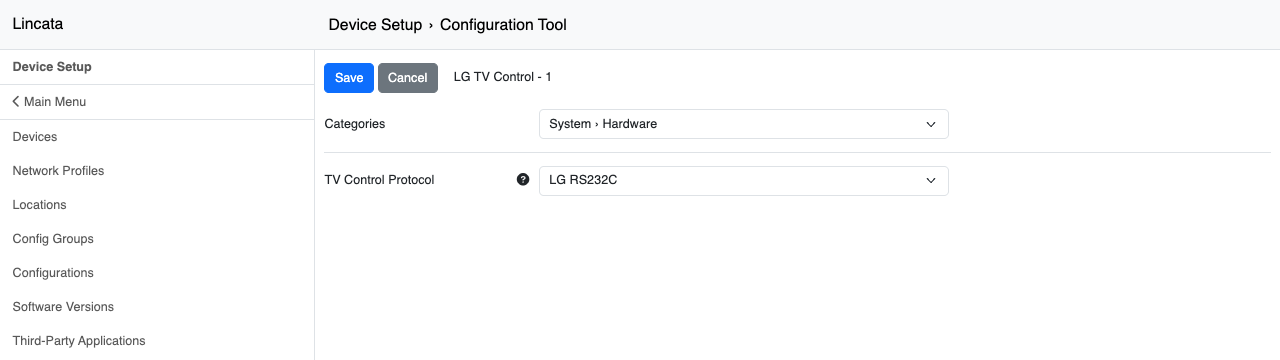
TV Control Protocol |
System → Hardware |
How LincTV talks to the TV for power, volume, and inputs (e.g., Samsung SSCP, LG MPI, LG RS232C). Must match your TVs and cables. |
|
Content Set |
System |
Which TV channel lineup these devices get (see 4.6). |
|
System Update Start / End Time |
System |
The window when devices may update firmware and apps. Set it overnight (e.g., 2:00–4:00 AM) so updates never interrupt patients. |
|
SSL Certificates |
System |
Custom certificates for Epic services that use private certificates. Lincata usually loads these from your network prep form. |
|
Firmware Overrides |
System |
Holds these devices on a specific firmware version (see below). |
|
Live TV Application / Third-Party Apps |
System → Applications |
Which apps are installed (see 4.4). |
|
Changing a Configuration changes every device that uses it. To try a change on a few rooms first, copy the Configuration, make a test Config Group, and move a couple of devices into it. |
Firmware
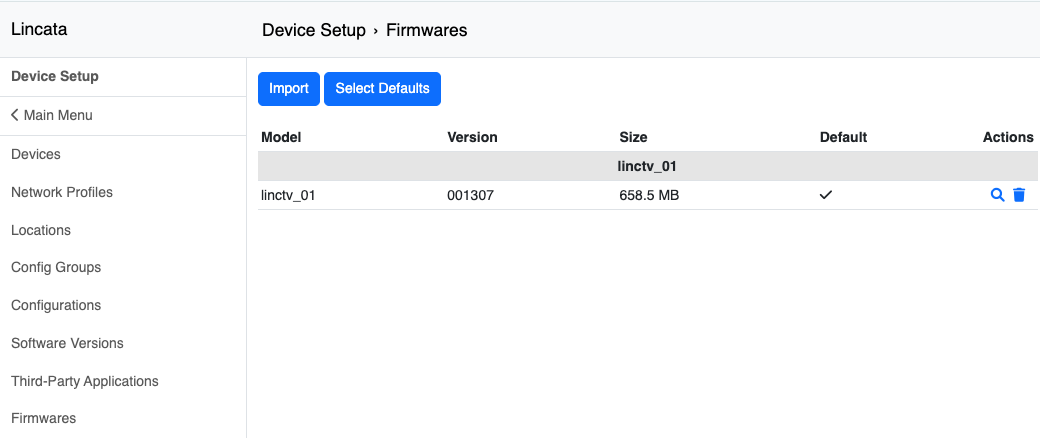
Where: Device Setup → Firmwares.
Lincata uploads new LincTV firmware here and marks one version as the default for each device model. Devices pick it up during their update window.
|
⚠ Firmware can't be downgraded. Once a device updates, it can't go back to an earlier version. |
That's why Firmware Overrides exist. Set an override on your production Configuration to keep those rooms on the current version, let a small test group update first, and remove the override once you're happy.
Software Versions
Lincata manages these. A new software version arrives with new features and may add new settings to your Configurations. Nothing for you to do here unless your Lincata contact asks.